Project for the Web
Working with date constraints in Project for the Web

Project for the Web lets you manually enter a task's start or finish date to constrain when it can start or finish.
How to create a constraint
Click the calendar icon in the Start or Finish field and choose the date.

Once you choose, the calendar icon changes and a notice appears below the dates, indicating that the task has a constraint.
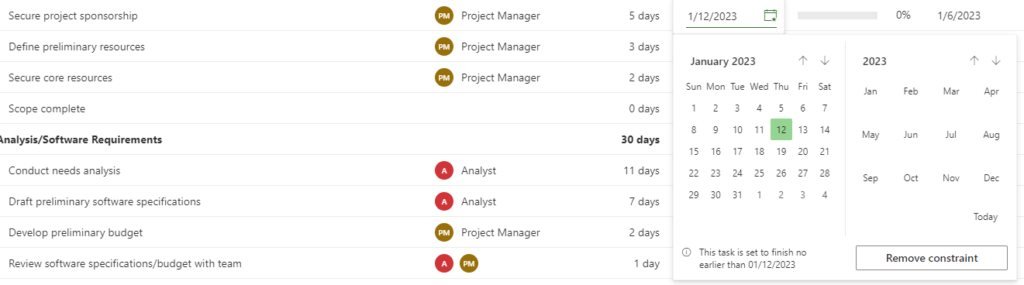
How to remove a constraint
Click the task's calendar icon and then Remove constraint.
See how ProjectSA does it: Consulting
Frequently asked questions
What is a date constraint?
A start or finish date set manually, which limits when the task can start or finish.
How do I know if a task has a constraint?
The calendar icon changes and a notice appears below the dates.
How do I remove the constraint?
In the task's calendar icon, under Remove constraint.