Project for the Web
Analyzing the critical path with Project for the Web

The critical path shows which tasks determine the project's deadline. In Project for the Web, it can be analyzed directly in the timeline.
Step by step
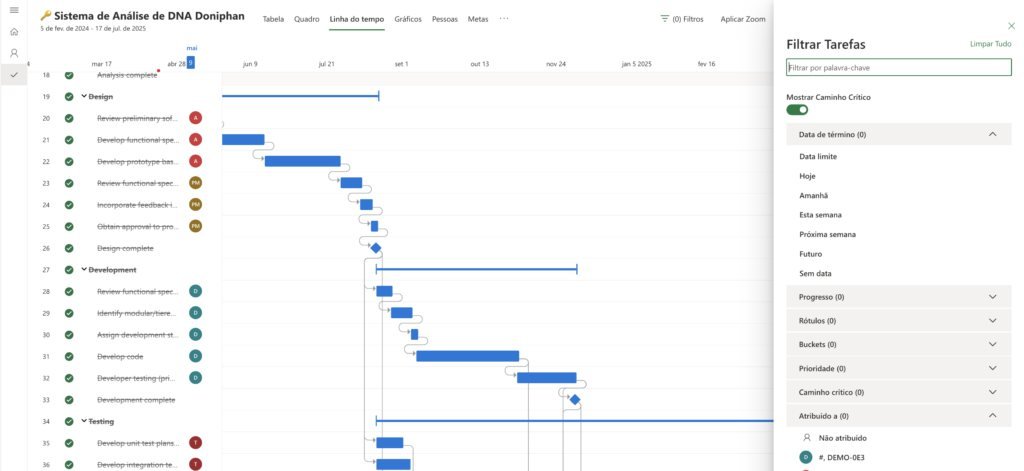
- Build the Gantt chart: use the Timeline view to see tasks and their dependencies.
- Identify the critical tasks: these are the ones that delay the project if they are late. In the filters, select Show critical path.
- Check date constraints: see whether any critical task has a fixed finish date.
- Calculate the critical path duration: add up the durations of the critical tasks.
- Adjust the plan: use this information to decide what changes and keep the project on schedule.
See how ProjectSA does it: Consulting
Frequently asked questions
What is the critical path?
The sequence of tasks that determines the project's deadline: if one of them is late, the project is late.
How do I see the critical path in Project for the Web?
In the Timeline view, with the Show critical path filter.
How is the critical path duration calculated?
By adding up the durations of the critical tasks.